


Emoji Cat Creator: PFP Maker
3.9157.00 Reviews
App Specs
- Version
- 1.1.6
- Updated On
- License
- Free
- Downloads
- 1,000,000+
- Developer
- AthenaHotC
- Categories
- Art & Design
- Platform
- Android, iOS
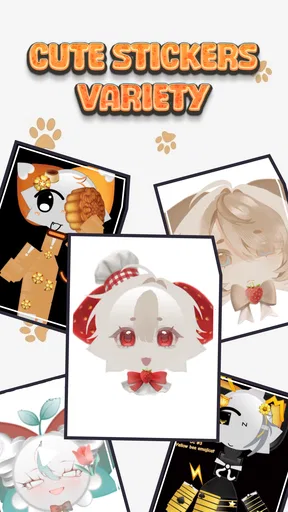
Screenshots
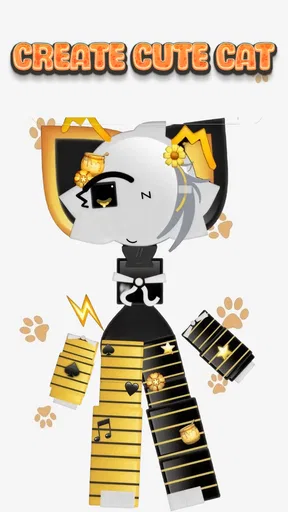
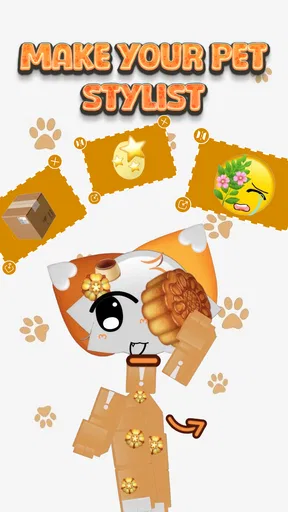
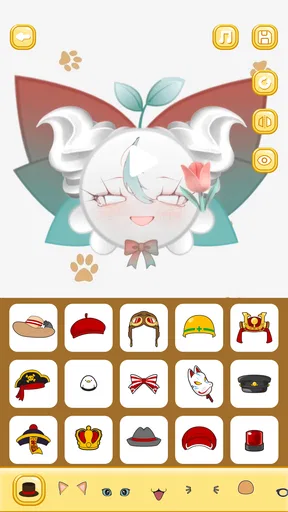
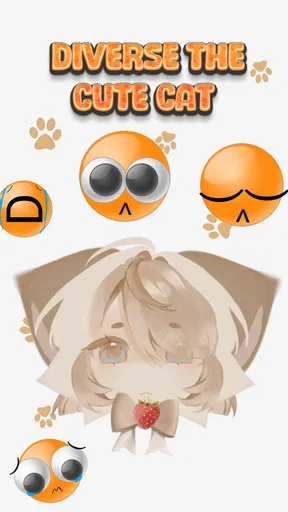
 Analysis by AppCompare
My first useful goal with Emoji Cat Creator: PFP Maker would be simple: make one cat portrait that still looks clear when it is cropped into a small profile circle. That gives the app a practical starting point, rather than turning the first session into an endless hunt for the most elaborate combination. It is an art-and-design app from AthenaHotC, aimed at making playful cat-themed profile art approachable even if you have never used a drawing tool.
What to expect from a cat-focused creator
The appeal here is its narrow focus. A general avatar editor usually asks you to choose among many character styles, while a standard drawing app gives you a blank canvas and expects you to build everything yourself. This app sits between those options: the subject is already a cat, and the fun is in shaping its look. That makes it a good fit when you want a recognizable, lighthearted identity without learning a full illustration workflow.
I would go in expecting a casual creative tool, not a professional design suite. Its strongest use is making a small, expressive image for a social profile, chat identity, or personal amusement. If your aim is a polished logo, a realistic portrait, or a graphic with precise typography, a more flexible editor will suit you better. The cat-first approach helps you get moving, but it also defines the limits of what the app is built to do.
Because the finished art may appear very small, restraint is useful. A bold face, a clear color contrast, and one or two distinctive details tend to read better than a crowded design. I’d treat each accessory as a choice with a cost: it can make the character memorable, but it can also compete with the eyes and expression that give the portrait its personality.
A calm route from install to first result
The app is free, has an Everyone 10+ content rating, and runs on Android 6.0 or later. It was released on November 4, 2024, and version 1.1.3 is the current version. Those basics make it easy to judge whether it belongs on your device before you begin. The app has an average rating of 4.0 from around 3,700 ratings, with more than a million installs, so it has found an audience beyond a handful of curious users.
For a first session, I’d avoid trying to make a perfect avatar straight away. Start with the main cat shape, pick a look that feels close to your own taste, then make a single adjustment at a time. That sequence makes it easier to notice what each choice changes. If you jump between colors, facial details, and extras too quickly, it becomes harder to tell which combination is actually working.
My first meaningful success would be a face with a clear expression and a palette that remains legible against the background where I plan to use it. Before sharing or setting it as a profile picture, I’d check the image at a smaller size and imagine it inside a circular crop. Details near the edge may be cut off, so keeping the important features toward the center is a practical safeguard for a PFP.
Worth Reading Before You Choose

EA SPORTS FC Mobile 26 Is a Bigger Football Game, but It Takes Time

Flipboard Shows What News Apps Must Do Beyond the Feed

Switching to Android Auto Means Rethinking Your Driving Routine

Google Calendar Makes a Crowded Week Easier to Manage

Ludo King Makes the Most of the Minutes Between Plans

Baby Panda World Brings Quick Play to Modern Phones, but Its Game Library Feels Busy
Making choices without getting lost
Customization can make a small project unexpectedly absorbing, but it can also create decision fatigue. I find it helpful to pick a mood first—sweet, mischievous, calm, or a little odd—and let that guide the choices. A playful face with a simple accessory often feels more coherent than selecting every appealing option at once. If the result looks busy, remove one element and compare; simplifying is often the quickest way to make the cat feel intentional.
There is also a useful distinction between experimenting and finishing. While exploring, try combinations freely and pay attention to which features change the overall character. When you have a version you like, stop adding details and check whether it works at avatar size. This small pause helps prevent the common trap of polishing the full-size image while overlooking how it will actually appear in a chat list or profile circle.
One question a new user may have is whether the app is suitable for someone with no art experience. I think the focused subject makes it less intimidating than a blank canvas, because you are refining a cat rather than inventing an entire illustration from scratch. It is still a creative process, though: the app can provide a way to make choices, but your own taste determines whether the result feels personal.
Where it fits—and where it doesn’t
For an everyday use case, imagine changing your profile image before joining a group chat or starting a new account. You could make a cat that reflects your mood, check that its face stays readable when reduced, and use it as a small visual signature. The same idea works for a casual gaming profile or a private account where a friendly illustrated image feels more comfortable than a photograph.
Compared with a broad avatar maker, a cat-specific app gives you a clearer creative brief and less pressure to design a whole person. Compared with a drawing app, it offers a more directed route to a finished cat image, while sacrificing the freedom to build any subject or composition you want. That trade-off is the main decision: choose this when the cat is the point; choose a general editor when the image needs custom lettering, a complex background, or a style beyond cute character art.
I would also think about how you plan to use the finished image before investing time in fine detail. A profile picture has to survive cropping and reduction, while a larger image can show subtler choices. If you want the same cat across several accounts, a consistent palette and expression can help it feel like one identity; if you only need a quick one-off image, there is little reason to chase perfect consistency.
What to know before sharing
New users often wonder whether making the picture is the whole task or whether they can put it to use afterward. The app is presented as a tool for creating cat-themed profile art, so I’d plan around the finished image itself and check the available on-screen options when I’m ready to use it. For any particular social platform, I’d also preview the result there: profile crops and display sizes can differ, and an image that looks balanced in an editor may need a small adjustment for a circular thumbnail.
Another practical question is whether this is the right choice for a child or for someone who simply wants a quick creative activity. Its Everyone 10+ rating gives a useful age reference, and the straightforward cat-portrait goal makes it easy to approach as a short project. I’d still suggest that younger users ask a parent or guardian before sharing personal images or account details anywhere online; that is sensible advice for social sharing generally, not a special feature of this app.
A useful next step after the first portrait
Once you have a version that reads clearly, save your preferred look in whatever way the app’s current interface allows, then take a moment to compare it with the image where you intend to use it. If it feels too detailed, return to the design and simplify; if it feels anonymous, change one defining feature rather than rebuilding everything. That measured approach turns a casual experiment into a profile image you are more likely to keep.
Emoji Cat Creator: PFP Maker is best for people who want a cheerful cat identity and enjoy making small visual choices without starting from a blank page. It is less suited to anyone looking for unrestricted illustration, advanced branding controls, or a highly specific non-cat avatar. For me, its value is in making the first step approachable: choose a direction, build a readable face, and stop when it feels like yours rather than when every possible detail has been added.
First Impressions and Getting Started
Opening up Emoji Cat Creator: PFP Maker for the first time, I was greeted with a vibrant interface that immediately set a playful tone. The colors are bright, the graphics are crisp, and everything looks inviting. The app doesn’t just throw you into the deep end; there’s a friendly tutorial that guides you through the basic functions. It’s as if the app is giving you a gentle nudge, saying, “Go ahead, create something fabulous!”
Creating Your Purr-fect Emoji
The heart and soul of Emoji Cat Creator lie in its customization options. Seriously, the sheer variety is enough to make your head spin—in the best way possible! You start with a basic cat outline, but from there, the possibilities are endless. You can choose from different fur patterns, eye shapes, and even quirky accessories like hats and glasses. I spent a good chunk of time just experimenting with combinations, and each tweak made my little digital feline feel more personal.
One feature that stands out is the color palette. You’re not limited to predefined colors; instead, you can mix and match shades to your heart’s content. Want a lavender cat with lime green eyes? Go for it! The app celebrates creativity, encouraging users to explore outside-the-box ideas.
Ease of Use and Navigating the App
Despite the extensive customization options, the app remains incredibly user-friendly. The layout is intuitive, with everything you need just a tap away. I appreciated how responsive the app was; no lagging or crashing, which is often a concern with graphic-heavy applications. The developers have clearly put thought into optimizing performance, ensuring a smooth experience even on older devices.
Another neat aspect is the layering system, which allows you to adjust the order of elements on your emoji. It’s akin to working in a simplified version of Photoshop, where you can bring certain features like whiskers or accessories to the forefront.
Sharing and Using Your Creation
Once you’ve crafted your masterpiece, the next logical step is flaunting it! The app makes it a breeze to export your emoji in various formats suitable for social media, messaging apps, or even as a profile picture. I tried exporting to my Instagram and was impressed by how the quality remained intact. Plus, there’s an option to directly share your creation within the app to platforms like WhatsApp and Facebook.
If you’re feeling particularly proud of your artistic prowess, the app also lets you join a community of fellow emoji enthusiasts. You can share your designs, get feedback, and even participate in themed challenges. It’s a vibrant community that adds an extra layer of fun to the whole experience.
Final Thoughts
In a digital age where personalization is key, Emoji Cat Creator: PFP Maker stands out as a delightful tool for self-expression. Whether you're a seasoned artist or just someone looking to add a bit of flair to your online presence, this app has something for everyone. It’s easy to use, packed with features, and most importantly, it’s a lot of fun. I found myself genuinely enjoying the process of creating, experimenting, and sharing my creations.
If you’re ready to unleash your inner artist and create some truly unique cat emojis, give Emoji Cat Creator: PFP Maker a try. Who knows? You might just create the next viral emoji sensation!
Pros
- Easy-to-use interface for quick creation
- Extensive library of cat emojis
- Customization options are abundant
- No registration required for use
- Lightweight app with minimal storage need
Cons
- Limited free assets available
- Ads can interrupt creation process
- No offline mode available
- Some features behind a paywall
- Occasional lag on older devices
FAQs for Emoji Cat Creator: PFP Maker
What is Emoji Cat Creator: PFP Maker?
Emoji Cat Creator: PFP Maker is an app designed to let users create personalized cat-themed emojis and profile pictures (PFPs). The app offers a variety of customization options, allowing users to modify features such as fur color, facial expressions, and accessories to create unique and expressive cat avatars.
Is Emoji Cat Creator: PFP Maker free to use?
Yes, Emoji Cat Creator: PFP Maker is free to download and use. However, the app may offer in-app purchases for additional features, such as premium accessories or exclusive design elements. These optional purchases can enhance the customization experience but are not necessary to enjoy the app.
What features does Emoji Cat Creator: PFP Maker offer?
The app provides a wide range of features, including customizable fur patterns, various facial expressions, and an array of accessories like hats and glasses. Users can also choose from different backgrounds to complement their creations. The intuitive interface makes it easy for anyone to design their perfect cat emoji or profile picture.
Can I share my creations from Emoji Cat Creator: PFP Maker?
Yes, you can easily share your creations directly from the app. Once you've designed your cat emoji or PFP, the app allows you to save it to your device or share it on social media platforms, messaging apps, or use it as your profile picture in other applications.
Is Emoji Cat Creator: PFP Maker available on both Android and iOS?
Emoji Cat Creator: PFP Maker is available for download on both Android and iOS platforms. You can find it on the Google Play Store and the Apple App Store, ensuring compatibility with a wide range of devices. Regular updates ensure the app runs smoothly and offers new features over time.


